If you’re looking to streamline your workflow, keep your contacts organized, and never lose track of important conversations, this guide is for you. Here’s how I transformed my daily routine using Granola, NOAN, and a simple Zapier automation—so you can do the same.
Why Granola is My Go-To Note Taker
Granola stands out as a note-taking tool because:
-
Non-intrusive: It doesn’t join your calls or record audio, just provides a clean transcript.
-
Real-time notes: You can jot down notes as you go.
-
Seamless integration: It works brilliantly with NOAN, making it perfect for team use.
The Real-World Scenario: Partner Calls Made Effortless
Yesterday, I had a call with Angela from Landa Club, a partner in South America. She wasn’t in my NOAN contacts yet, but thanks to my setup, adding her and our conversation details was effortless.
The Automation: How the Zap Works
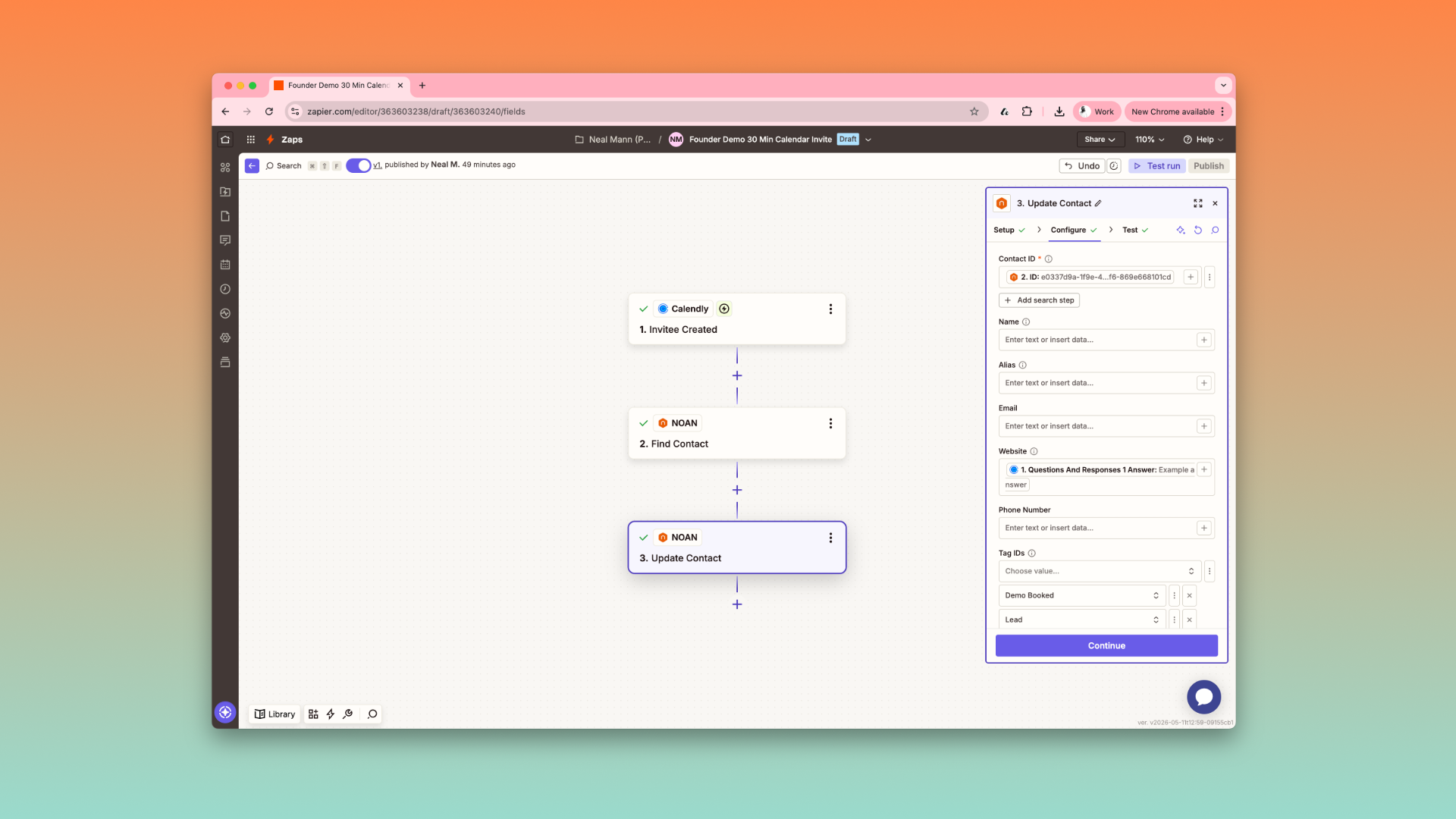
Here’s the step-by-step process I use:
-
**Organize Your Notes:**After any NOAN-related call, I drop the transcript into a dedicated NOAN folder in Granola.
-
**Trigger the Zap:**As soon as a note is added to this folder, Zapier springs into action.
-
**Contact Check & Creation:**Zapier checks if the contact (e.g., Angela) already exists in your NOAN network.
-
If the contact exists, the note is added to their memos.
-
If not, Zapier creates a new contact and attaches the note.
-
**Instant Access for the Team:**Now, anyone on the team can access the memo and all related context via NOAN’s assistant. When I prep for my upcoming webinar, I’ll simply ask, “What did we discuss with Landa Club?” and get an instant summary.
Why This Setup is a Game Changer
-
Zero manual data entry: Every call builds your contact database and context automatically.
-
Team-wide visibility: Everyone stays in the loop, with up-to-date memos and contact info.
-
CRM killer: With this foundation, you’re well on your way to replacing clunky CRMs with a smarter, AI-powered system.
How to Set It Up Yourself
-
Start using Granola for note-taking.
-
**Set up a Zap in Zapier:**Trigger: New note in your NOAN folder in Granola.
-
Action: Search for contact in NOAN.
-
If found, add memo; if not, create contact and add memo.
-
(Optional) Use NOAN’s Zap to drop new contacts into your network automatically.
Final Tips
-
Consistency is key: Drop every call note into your NOAN folder.
-
Leverage the assistant: Use NOAN’s AI to recall any conversation or context instantly.
-
Stay tuned: More features are coming soon to make this workflow even more powerful.
Ready to build a smarter, more connected workflow? Set up this automation and watch your contact management transform overnight.
.png)
.png)
.png)